Software Comparison for Small Business
Key takeaway:
The best software for small business owners balances affordability, usability, software integrations, and long-term scalability rather than feature count alone.
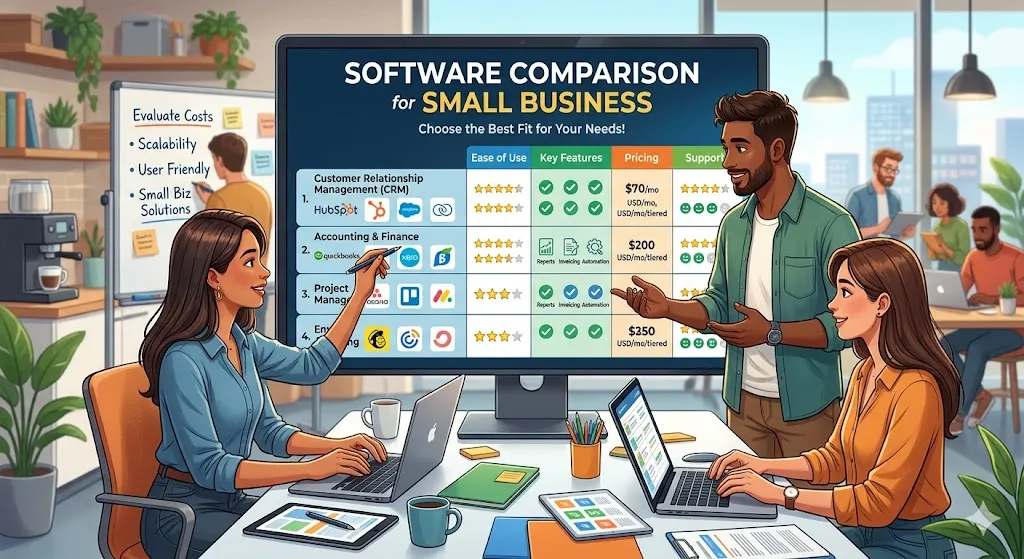
Small businesses often compare accounting software, CRM systems, payroll tools, project management platforms, and communication apps before choosing the best software for small business growth. The right software solutions can improve efficiency, reduce manual work, and support long-term scalability.
Picking software feels easy right up until the monthly bills stack up, your team ignores half the features, and two tools refuse to talk to each other. That is why a smart software comparison for small business owners should start with reality, not hype. The best platform is rarely the one with the longest feature list. It is the one your business will actually use, afford, and grow with.
Small businesses do not buy software in a vacuum. They buy it while juggling cash flow, customer service, hiring, marketing, and the thousand tiny decisions that keep a company moving. That changes the way software should be evaluated. A tool that works beautifully for a 200-person company can be a poor fit for a five-person team that needs speed, simplicity, and predictable costs.
| Software Category | Popular Tools | Best For |
|---|---|---|
| Accounting | QuickBooks, Xero, FreshBooks | Invoices and expenses |
| CRM | HubSpot, Salesforce, Zoho CRM | Customer management |
| Project Management | Trello, Asana, Monday.com | Workflow tracking |
| Communication | Slack, Teams, Zoom | Team collaboration |
How to approach software comparison for small business needs
The first mistake many owners make is comparing products by category pages and pricing tables alone. On paper, two tools can look nearly identical. In real use, one may take ten minutes to learn and the other may need weeks of setup. For a small business, that difference matters just as much as the monthly fee.
Start by asking what problem you are trying to solve this quarter, not this decade. If invoicing is slow, focus on accounting and billing. If leads are slipping through the cracks, look at CRM options. If your staff spends half the week chasing updates, project management software deserves attention. Narrowing the job to be done keeps you from buying an all-in-one platform that promises everything and delivers complexity.
It also helps to separate must-haves from nice-to-haves. A bakery may need inventory alerts and simple payroll. A consulting agency may care more about proposals, time tracking, and client communication. A local contractor may prioritize mobile access and scheduling. Good comparison starts with your actual workflow, not someone else’s tech stack.
Software Comparison for Small Business
| Software Type | Primary Use | Best For | Complexity | Typical Cost |
|---|---|---|---|---|
| Accounting Software | Invoices, expenses, taxes | Small teams | Medium | Low–Medium |
| CRM Software | Lead management | Sales businesses | Medium | Medium |
| Project Management | Tasks and deadlines | Teams | Easy–Medium | Low–Medium |
| Payroll Software | Payroll and compliance | Employers | Medium | Medium |
| Collaboration Software | Messaging and files | Remote teams | Easy | Low |
The core software categories most small businesses compare
Not every business needs every tool on day one, but most comparisons fall into a few familiar groups.
Accounting and invoicing software
This is often the first major purchase because it touches revenue, expenses, taxes, and reporting. Small business owners usually compare ease of invoicing, bank syncing, reporting clarity, tax support, and whether an accountant can work inside the same system.
The trade-off here is usually simplicity versus depth. Some accounting platforms are clean and beginner-friendly but limited once payroll, inventory, or multi-user access gets more complicated. Others are powerful but can feel heavy for a solo owner who just wants invoices sent fast and expenses categorized correctly.
Cloud Software and SaaS Platforms Are Reshaping Small Business Technology
Modern cloud software allows small businesses to access business operations software without large infrastructure costs. SaaS tools provide flexibility, automatic updates, software integrations, and lower upfront investment. Many software solutions for small companies now operate entirely through cloud-based subscription models, helping businesses scale technology gradually.
CRM software
Customer relationship management tools help organize leads, follow-ups, deals, and customer history. For service businesses, freelancers growing into agencies, and local companies with repeat clients, a CRM can stop sales from living inside one person’s memory.
The biggest comparison point is adoption. A CRM only works if people actually update it. Small teams often do better with a lighter system that tracks contacts, notes, and sales stages clearly. A highly customizable enterprise-style CRM may sound exciting, but if no one uses it, it becomes an expensive address book.
Project management software
If work involves deadlines, tasks, handoffs, or client collaboration, project tools quickly become valuable. Here, software comparison for small business teams should focus on visibility and ease of use. Can everyone see what is due, who owns it, and what is blocked?
Some platforms are great for simple task boards. Others are stronger for timelines, resource planning, approvals, and reporting. The right choice depends on whether your work is repetitive and straightforward or layered and deadline-heavy. A three-person creative team may thrive with a visual board. A small operations team may need something more structured.
Payroll and HR software
Once a business hires employees or contractors regularly, payroll mistakes become expensive and stressful. Software in this category is usually compared on automation, tax filing, employee self-service, benefits support, and compliance features.
This is one category where cheap can become costly fast. If a low-cost tool saves a few dollars but creates filing errors or forces manual corrections every month, it is not really saving anything. Reliability matters more than flashy design here.
Communication and collaboration tools
Email alone stops working once conversations, files, approvals, and updates spread across the business. Messaging and collaboration tools can reduce confusion, but they can also create noise if added without structure.
When comparing these tools, think less about features and more about habits. Does your team need quick internal messaging, video meetings, shared documents, or all three? Will clients be included? The best tool often supports the way your team already communicates rather than forcing a whole new rhythm.
What actually matters in a small business software comparison

Price matters, but sticker price is only the beginning. Many tools look affordable until you add extra users, premium support, automation features, storage, or necessary integrations. A product that starts cheap can become one of your biggest monthly expenses within a year.
Ease of setup matters just as much. Small businesses rarely have dedicated IT teams. If implementation requires a consultant, custom development, and hours of staff training, that needs to be counted as part of the cost. Time is a business expense, even if it does not show up as a line item.
Integrations are another major factor. Your accounting software does not need to connect with every app on the market, but it should work with the tools you already rely on. The more manual copying your team does between systems, the more errors and frustration you create.
Support quality is often overlooked until something breaks. Before choosing a platform, check what kind of help is actually available. Is live chat included? Is phone support limited to higher tiers? Are help articles easy to follow? Small businesses usually need answers quickly, not a ticket response three days later.
Scalability matters too, but it should be viewed realistically. Owners sometimes overbuy because they want software that can handle a future ten times larger than their current business. Growth matters, but so does fit. Choose software that supports the next stage or two, not an imaginary future that may never arrive.
Common comparison mistakes to avoid
One mistake is buying based on brand recognition alone. Popular software is not automatically right for your business. Big names often win on market share, not on fit.
Another is letting one advanced feature dominate the decision. A platform may have amazing reporting, automation, or AI tools, but if the daily workflow is clunky, your team will feel that pain far more often than they benefit from the standout feature.
Free plans can also be misleading. They are useful for testing, but they often limit users, reports, branding, or integrations. That does not make them bad. It just means a free plan should be treated as a trial stage, not the full decision.
There is also a quiet risk in choosing too many tools at once. Adding accounting, CRM, payroll, chat, project management, and scheduling software in the same month creates confusion. Most small businesses do better when they fix the biggest bottleneck first, then build from there. Freelancers often prioritize invoicing software and project tracking tools. Ecommerce businesses usually require inventory systems and customer management platforms.
Best Software for Small Business Owners by Category
Choosing the best software for small business growth often comes down to identifying where your team loses the most time. Some companies need accounting platforms first. Others need customer management, project tracking, or communication systems. The strongest software solutions for small companies solve immediate operational problems while supporting long-term growth.
Many small businesses compare platforms like QuickBooks, Xero, and FreshBooks when evaluating accounting software. These small business software tools help companies manage invoices, expenses, reporting, and financial visibility without building complex manual systems. For small business owners, cloud software has made accounting far more accessible while reducing repetitive administrative work.
When customer relationships become difficult to manage manually, CRM software often becomes the next priority. Platforms like HubSpot, Salesforce, and Zoho CRM help organize contacts, track sales pipelines, automate follow-ups, and improve visibility into customer activity. A strong business software comparison should always evaluate whether the software improves daily workflow rather than simply offering the longest feature list.
Project Management and Team Collaboration Software for Small Companies
As businesses grow, workflow software becomes increasingly important. Project management platforms help teams organize deadlines, responsibilities, approvals, and ongoing work without relying entirely on email or spreadsheets.
Small businesses frequently compare tools like Trello, Asana, and Monday.com when evaluating project management systems. Some businesses prefer simple visual boards, while others need advanced reporting, automation, and resource planning features. The right productivity software depends heavily on team size, project complexity, and operational needs.
Communication also becomes more important as teams expand. Team collaboration software like Slack, Microsoft Teams, and Zoom helps improve communication speed while reducing confusion across departments. Small business technology works best when communication systems support existing habits rather than forcing employees into overly complicated workflows.
Why SaaS Tools and Software Integrations Matter More Than Features
Modern SaaS tools allow businesses to build flexible software ecosystems without investing heavily in infrastructure. Instead of purchasing expensive enterprise systems upfront, software for small business owners increasingly relies on affordable business software delivered through subscription models.
Software integrations have become one of the most important evaluation factors during business software comparison research. Accounting software should communicate with payroll systems. CRM platforms should connect with email tools. Project management systems should integrate with communication platforms. A disconnected software ecosystem often creates extra work instead of reducing it.
Business automation software also continues becoming more valuable for small companies. Automation reduces repetitive manual tasks while improving operational consistency. Many business operations software platforms now include automation capabilities that help small teams accomplish more without increasing staffing costs.
Common Small Business Software Mistakes
Many small businesses struggle with software decisions because they focus too heavily on features while overlooking practical business needs.
Common mistakes include:
- Choosing software based only on price
- Buying enterprise software too early
- Ignoring software integrations
- Skipping employee feedback
- Adding too many tools simultaneously
Affordable business software is important, but the cheapest option does not always create the best outcome. Small business technology should reduce friction, improve productivity, and simplify daily operations. Businesses often grow faster when they build software systems gradually rather than implementing too many business operations software platforms at once.
The best software comparison for small business owners focuses on usability, workflow improvement, scalability, and adoption. Software only creates value when people consistently use it.
How We Evaluated Small Business Software
To create a practical software comparison for small business owners, we evaluated platforms based on the factors that often matter most during real-world decision making. Ease of use was a major consideration because small businesses often need software that teams can adopt quickly without extensive training. We also looked at pricing transparency since affordable business software should provide predictable costs without unexpected upgrades or hidden fees.
Software integrations were another important factor because modern businesses rely on connected systems rather than isolated tools. Strong business operations software should fit naturally into an existing software ecosystem and work smoothly alongside accounting platforms, CRM systems, workflow software, and team collaboration tools. Scalability also matters because small business technology should support growth without forcing companies to completely rebuild their systems later.
We also considered automation capabilities since business automation software helps reduce repetitive work and improve operational efficiency. Customer support quality was evaluated because software problems can quickly affect productivity when help is difficult to access.
Finally, team adoption potential played a major role because even the most advanced SaaS tools and cloud software only create value when employees consistently use them. The strongest software solutions for small companies balance usability, flexibility, integrations, and long-term practicality rather than focusing only on feature count.
A practical way to compare software without getting overwhelmed
Keep your process simple. Shortlist three options per category, not ten. Compare them against the same five criteria: cost, ease of use, core features, integrations, and support. Then test the top two with a real scenario from your business.
For example, if you are comparing CRMs, enter a sample lead, assign a follow-up, send a note, and generate a simple pipeline view. If you are reviewing accounting software, create an invoice, connect a bank feed, and run a profit report. Real tasks reveal more than feature grids ever will.
It also helps to involve the people who will use the tool most. Owners often make software decisions alone, then wonder why adoption is low. If your bookkeeper, sales rep, or operations manager will live inside the system daily, their feedback matters. They will notice friction points faster than anyone reading a product demo page.
If your team is very small, aim for software that reduces decisions rather than adding them. Clear dashboards, simple permissions, and intuitive workflows usually beat highly customizable systems in the early stages of growth. Complexity can wait until it is truly needed.
A useful mindset is this: good software should create momentum. It should remove repeat headaches, make work more visible, and save attention for the things that actually grow the business. That is where a strong software comparison for small business owners pays off. It is not about chasing the most impressive platform. It is about choosing tools that make the next workday feel lighter, faster, and more under control.
When you are stuck between two solid options, choose the one your team will use with confidence next Monday morning. That decision is usually better than the one that only looks smarter in a sales demo.
The best software comparison for small business owners focuses on usability, cost, integrations, scalability, and team adoption. Choosing software that solves immediate business problems while supporting future growth helps small businesses operate more efficiently and avoid expensive technology mistakes.
Small Business Software Decision Checklist
Before buying software ask:
✓ Does it solve a current bottleneck?
✓ Does it integrate with existing tools?
✓ Can employees learn it quickly?
✓ Does pricing scale reasonably?
✓ Does it reduce manual work?
Frequently Asked Questions
What software does a small business need first?
What is the best software for small businesses?
Should small businesses use free software?
How many software tools should a small business use?
About the Author
Ana Milojevik is a writer and contributor at Quotela.net, a general-interest publication covering business, health, technology, travel, personal development, quotes, and digital trends. She enjoys researching practical topics and creating informative content that helps readers discover new ideas, insights, and useful perspectives.